Key Takeaways:
A TNB smart meter (Meter Pintar) reads your usage automatically and sends it to TNB over a wireless network, replacing manual readings and estimated bills. Installation is free, and TNB has already fitted more than 5 million homes, aiming for 10.4 million by 2028. It's certified safe by SIRIM and MCMC, and it doesn't change your tariff rate.
Spotted a new digital box on your electricity meter, or a notice in the mail about an upcoming swap? TNB is rolling out smart meters (Meter Pintar) nationwide, and over 5 million homes nationwide already have one.
A smart meter changes how TNB reads your usage. It ends estimated bills and gives you real-time usage data through the myTNB app.
This guide covers what a TNB smart meter is, what to expect during installation, how to read the display, and what to do if a reading looks wrong. If you're planning to go solar, we've also covered where the smart meter fits into that process.
What Is a TNB Smart Meter (Meter Pintar)?
A TNB smart meter, or Meter Pintar, is a digital electricity meter that records your usage and sends it to TNB automatically over a wireless network. TNB has been rolling these out under its Advanced Metering Infrastructure (AMI) programme since 2016.
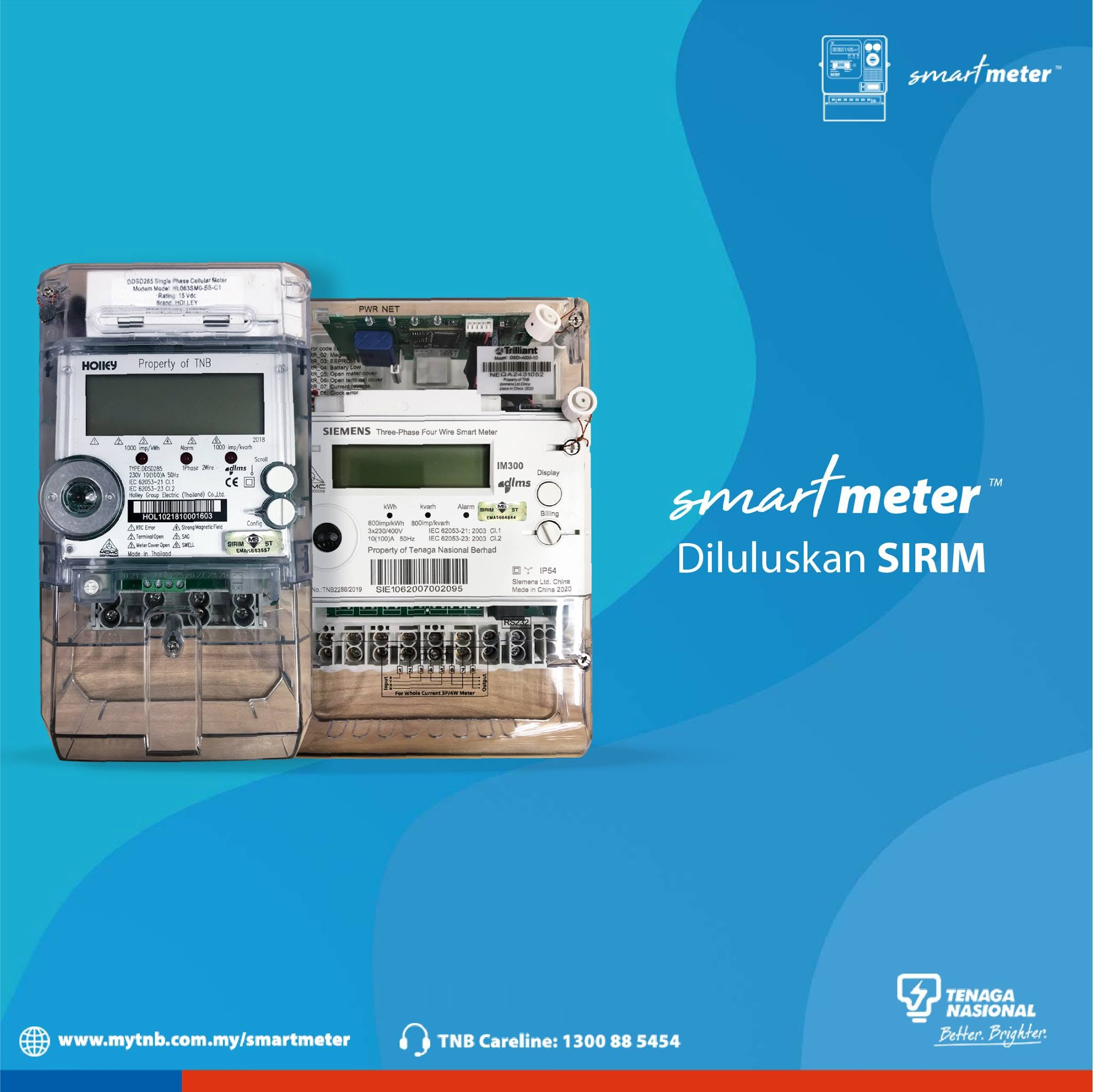
Malaysian homes generally run one of three meter types:
Source: TNB Advanced Metering Infrastructure, tnb.com.my
For more information on what the Smart Meter is, check out TNB’s own explainer video:
How Do I Know If My Home Already Has One?
Check your meter face and the myTNB app. A smart meter will show a digital display that auto-scrolls through readings while older analog meters have a visible spinning disc. Log into the myTNB portal and your account page will display whether your premise is AMI-enabled.
Coverage varies by state and building age. TNB had installed more than 5 million smart meters by late 2025, and is targeting 10.4 million homes across Peninsular Malaysia by 2028. You'll usually get an installation notice by mail about a month before TNB reaches your area.
How to Request a TNB Smart Meter
Most homes get a smart meter automatically as TNB's rollout reaches their area. If you haven’t got yours yet, here is how to request for an installation.
If you're an existing TNB customer:
- Check your status first. Log into the myTNB app or portal, your account page usually shows whether your premise is already AMI-enabled.
- If you're not yet covered, contact TNB. Call TNB Careline at 1-300-88-5454 or visit your nearest Kedai Tenaga to ask about your area's rollout schedule and request to be added to the installation queue.
- Wait for the installation notice. Once scheduled, TNB mails a notice roughly a month ahead, and a technician may call to confirm an appointment.
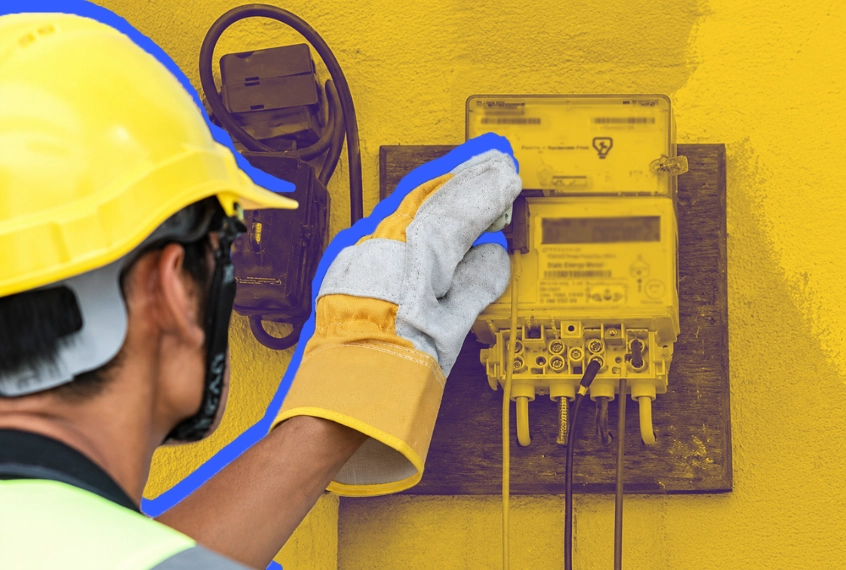
- Installation day. A TNB-appointed technician, in an orange uniform with ID, swaps the meter on-site, usually within an hour, at no cost to you.
If you're applying for a new electricity supply (new build, renovation, or a unit without an existing account), a smart meter is now the default meter TNB issues. Just submit your application directly through myTNB's e-application service since smart meters come bundled with a new supply application.
Can You Refuse a TNB Smart Meter?
There's no formal opt-out list for the AMI rollout. The meter itself is TNB's asset under your electricity supply agreement, and the swap is treated as routine infrastructure replacement rather than an optional upgrade, similar to any other meter replacement TNB carries out.
If you have a specific concern, whether that's about the RF signal, data collection, or anything else, your best channel is to raise it directly with TNB Careline or your nearest Kedai Tenaga. They can walk you through what applies to your account and address the concern directly, rather than guessing at a policy that may vary by case.
Is a TNB Smart Meter Safe?
Yes. TNB smart meters are certified by SIRIM and comply with radiation limits set by the Malaysian Communications and Multimedia Commission (MCMC). The meters use radio-frequency (RF) signals, the same category of non-ionising radiation as Wi-Fi routers and Bluetooth devices.
TNB states exposure at 10 feet away sits around 0.1 microwatts per square centimetre, well under the 1,000 microwatt safety threshold, and the World Health Organisation has reviewed more than 25,000 studies on RF-EMF exposure without confirming health effects at these levels.
Will a Smart Meter Make Your TNB Bill Go Up or Down?
A smart meter doesn’t change how much you’re charged per kWh, but it does change how your usage is measured. If your bill increased after installation, the more likely cause is the RP4 tariff restructuring (Peninsular Malaysia's new electricity tariff framework introduced 1 July 2025) or a monthly AFA adjustment (a fuel-cost surcharge or rebate applied on top of your base tariff).
However, your bill now reflects actual usage every cycle, so any "catch-up" adjustment from a previous estimated reading is gone. For a full breakdown of what's on your bill today, see our guide to Malaysia's new TNB tariff structure.
What Are the Benefits of a TNB Smart Meter?
- No more estimated bills: TNB reads your actual consumption remotely every cycle.
- Usage data updated every 30 minutes: The myTNB app's myEnergy dashboard shows your consumption by day, which is useful for spotting any usage anomalies like a faulty appliance.
- Prepaid electricity support: Smart meters enable TNB's prepaid option, allowing you to top up credit in advance.
- Faster fault and tampering detection: TNB can flag an outage or interference remotely.
TNB has also released a quick breakdown video on the benefits of using a Smart Meter:
What Are the Disadvantages of a TNB Smart Meter?
It's not all upside. A few honest trade-offs worth knowing before your installation:
- Brief power interruption during the swap: Usually under an hour, but worth planning around if you're running anything that can't handle a short outage.
- No say over installation timing: You're placed into TNB's area-by-area rollout queue rather than looking a date that suits you.
- More granular data collection: TNB records usage in much finer detail than a manual read ever could. TNB states this is used only for billing and grid management, but it's a fair consideration if data privacy matters to you.
- App dependency for the real-time features: Getting the full benefit (30-minute usage tracking, instant tops-ups) means using the myTNB app, which is an extra step for anyone who'd rather just glance at the meter.
- Still vulnerable to connectivity gaps: As covered below, a dropped AMI signal can still leave you with an estimated bill for that cycle, so "smart" doesn't mean zero estimates, just for fewer.
How to Read Your TNB Smart Meter Display
Press the button on the meter face, or wait for the auto-scroll. Here's what cycles through:
What to Do If Your Smart Meter Reading or Bill Looks Wrong
- Check the bill status. If it's marked "Estimated" on a smart-metered account, the AMI connection likely dropped for that cycle.
- Log a dispute on myTNB. This is the fastest channel for most reading queries.
- Call TNB Careline at 1-300-88-5454, verify this is current at mytnb.com.my before calling.
- Visit your nearest Kedai Tenaga with your IC and bill if the issue isn't resolved online.
If You're Planning to Go Solar
TNB fits a bi-directional smart meter as part of every Solar ATAP application (Malaysia's rooftop solar net-metering scheme), since it's what measures and credits your exported energy. A smart meter is also required to enrol in TNB's Time-of-Use tariff.
If solar's on your radar, check out our TNB bill calculator to see how much you can save on your electricity bill based on usage, house type, and many more.
Your Smart Meter, Decoded
A TNB smart meter doesn't change what you pay per unit, it just tells you the truth about what you're using, safely and without the guesswork of a manual read. Whether you're troubleshooting a spike in your bill or just curious what that new digital box on your wall does, the answer is usually simpler than it looks.
For a full breakdown of what's actually on your TNB bill, see our guide to Malaysia's new TNB tariff structure.
And if solar is on your plans anytime soon, check out our free solar calculator or chat with the team on WhatsApp whenever you're ready.
FAQ
Is TNB smart meter installation free?
Yes. TNB installs smart meters as part of its AMI rollout at no cost to the homeowner.
Is a TNB smart meter safe?
Yes. It's certified by SIRIM and complies with MCMC radiation limits, using the same category of non-ionising RF signal as a Wi-Fi router.
What happens when TNB installs my smart meter?
You'll get a mailed notice first, then a TNB subcontractor in an orange uniform carries out the swap on-site, usually in under an hour.
How do I request a TNB smart meter?
Check your status on myTNB first. If your home isn't yet covered, call TNB Careline or visit a Kedai Tenaga to ask about your area's rollout schedule.
Can I refuse a TNB smart meter?
There's no formal opt-out. The meter belongs to TNB under your supply agreement, and the swap is handled as routine replacement. If you have specific concerns, raise them directly with TNB Careline or a Kedai Tenaga.
What are the disadvantages of a smart electricity meter?
A short power interruption during installation, no control over the installation data, more detailed usage data being collected, and reliance on the myTNB app to get the full real-time benefit. Connectivity gaps can also still trigger an occasional estimated bill.
Will my bill go up after a smart meter is installed?
Not because of the meter itself. Any increase usually traces back to the RP4 tariff structure or a monthly AFA adjustment.
How do I check if my home already has a smart meter?
Look at the meter face for a digital LCD display with no spinning disc, or check your account status on the myTNB app.
What do I do if my smart meter reading looks wrong?
Raise a dispute through myTNB first. If unresolved, call TNB Careline or visit your nearest Kedai Tenaga with your bill and IC.
Do I need a smart meter to install solar in Malaysia?
Yes, indirectly. TNB installs a bi-directional smart meter as part of your Solar ATAP application, so you don't need to arrange one separately.

Rent-to-Own Solar. RM0 Upfront cost. Guaranteed Savings
Immediate ROI



Rent-to-Own Solar. RM0 Upfront cost. Guaranteed Savings
(10-Year RTO plan)
+ 10-Year Free Maintenance

Be part of The Solar Collective, where we share the latest updates, tips, and discussions on solar energy.


%20Types%2C%20Materials%20%26%20Cost.webp)